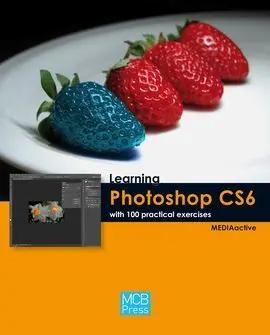
Learning Photoshop Cs6 With 100 Practical Exercices
Mediaactive
Photoshop is the photo editing and image processing tool par excellence. With this manual you will learn how to take advantage of the many tools and functions. In this new CS6 version of Photoshop, which is the talking point of this book, Adobe has included interesting and groundbreaking developments that improve and facilitate the flow of work and increase image editing possib...
Sinopsis
Photoshop is the photo editing and image processing tool par excellence. With this manual you will learn how to take advantage of the many tools and functions. In this new CS6 version of Photoshop, which is the talking point of this book, Adobe has included interesting and groundbreaking developments that improve and facilitate the flow of work and increase image editing possibilities. Using this book: · you will get to know the new crop in perspective tool. · you will retouch images with incredible features such as fill according to content and the new Content-Aware Patch tool. · you will freely transform certain parts of an image. · you will manage the layers of your documents more easily with the improvements that have been made in the Layers panel. · you will work on a new and spectacular three-dimensional interface to achieve the best 3D effects.
Índice
001 Getting to know the Photoshop CS6 Interface..............14
002 Managing the interface panels.......................................16
003 Browsing files in Bridge and Mini Bridge.......................18
004 Customizing the work area............................................20
005 Customizing the application menus..............................22
006 Creating and modifying keyboard shortcuts.................24
007 Creating, opening and saving files.................................26
008 Coloring and formating images.....................................28
009 Creating images..............................................................30
010 Modifying the size of the image.....................................32
011 Modifying the dimensions of the canvas.......................34
012 Cropping images............................................................36
013 Cropping in perspective.................................................38
014 Applying content-based scaling.....................................40
015 Adjusting the colors of an image...................................42
016 Equalizing, mixing colors and gradients........................44
017 Converting color images to black & white.....................46
018 Creating basic selections................................................48
019 Freehand selection..........................................................50
020 Selecting with magic wand.............................................52
021 Adding and subtracting selections.................................54
022 Selecting and painting at the same time........................56
023 Selecting edges more precisely.......................................58
024 Filling according to content...........................................60
025 Correcting imperfections................................................62
026 Placing patches on an image............................................64
027 Moving a subject..............................................................66
028 Deleting elements in an image.........................................68
029 Removing pixels with the magic eraser...........................70
030 Measuring images.............................................................72
031 Understanding how to work with layers..........................74
032 Renaming and locking layers...........................................76
033 Duplicating and rearranging layers..................................78
034 Aligning layers automatically...........................................80
035 Creating groups of layers..................................................82
036 Adjusting opacity to hide layers.......................................84
037 Creating fill and adjustment layers..................................86
038 Managing fill layers using filters......................................88
039 Adding fill layers with patterns........................................90
040 Transforming, rotating and flipping layers......................92
041 Deforming the content of an image................................94
042 Inserting and editing text.................................................96
043 Creating and editing text masks......................................98
044 Distorting text................................................................100
045 Creating 3D text.............................................................102
046 Adding and customizing a drop shadow........................104
047 Applying bevels and embossing text..............................106
048 Overlaying colors and gradients.....................................108
049 Overlaying patterns........................................................110
050 Enhancing texts or objects with a stroke.......................112
051 Using the layer styles collections.................................. 114
052 Creating new layer styles............................................... 116
053 Creating masks.............................................................. 118
054 Creating compositions with masks............................... 120
055 Applying artistic and sketch filters................................ 122
056 Getting to know the new Blur filters............................ 124
057 Applying paint and light effects.................................... 126
058 Getting to know the light and shadow effects...............128
059 Pixelating and applying textures................................... 130
060 Warping images............................................................. 132
061 Using vanishing points for editing images................... 134
062 Correcting lens distorsions............................................ 136
063 Correcting red-eye......................................................... 138
064 Working with Smart Objects......................................... 140
065 Using smart filters......................................................... 142
066 Drawing with the Pen tools........................................... 144
067 Adding text to a path.................................................... 146
068 Drawing geometric shapes............................................ 148
069 Drawing other forms..................................................... 150
070 Using the Spot Healing Brush....................................... 152
071 Simulating realistic paintings with the Mixer Brush ...........154
072 Creating and applying custom brushes........................ 156
073 Optimizing images for the web..................................... 158
074 Saving optimization...................................................... 160
075 Resizing an image when optimizing............................. 162
076 Establishing the output settings......................................164
077 Working with animated GIF...........................................166
078 Adjusting the opacity of layers for animation................168
079 Optimizing interactive images........................................170
080 Creating rollovers............................................................172
081 Adjusting Tests................................................................174
082 Preparing color channels for printing..............................176
083 Manipulating image channels.........................................178
084 Creating new channels....................................................180
085 Printing with preview .....................................................182
086 Creating and printing duotones......................................184
087 Importing 3D objects .....................................................186
088 Converting 2D images into 3D.......................................188
089 Getting to know the new 3D tools .................................190
090 More 3D objects and materials .......................................192
091 Creating actions...
Comentarios
Sé el primero en comentar este libroArtículos relacionados




Otros libros del autor